Commercial and Business Starlink Installation in Alberta
This is the strongest thing we do that a residentially-focused installer generally cannot. Mounting a dish on a commercial building is the easy part. The work that actually determines whether a business is well served is everything downstream: how the connection joins the existing network, what happens when it drops, whether traffic is segmented, and whether anyone can diagnose a fault at 7am without a site visit.
A commercial Starlink installation done properly is a network project that happens to include a satellite dish. It needs the connection integrated behind a firewall with real rule sets, traffic separated so a guest device and a payment terminal are not on the same broadcast domain, a failover path so a single obstruction event does not stop trading, and documentation so the site can be supported by someone who was not there on the day.
That is the same capability we bring to commercial network installation, structured cabling and Cradlepoint deployments — which is why businesses tend to end up with us for the whole system rather than for the dish alone.
Our work
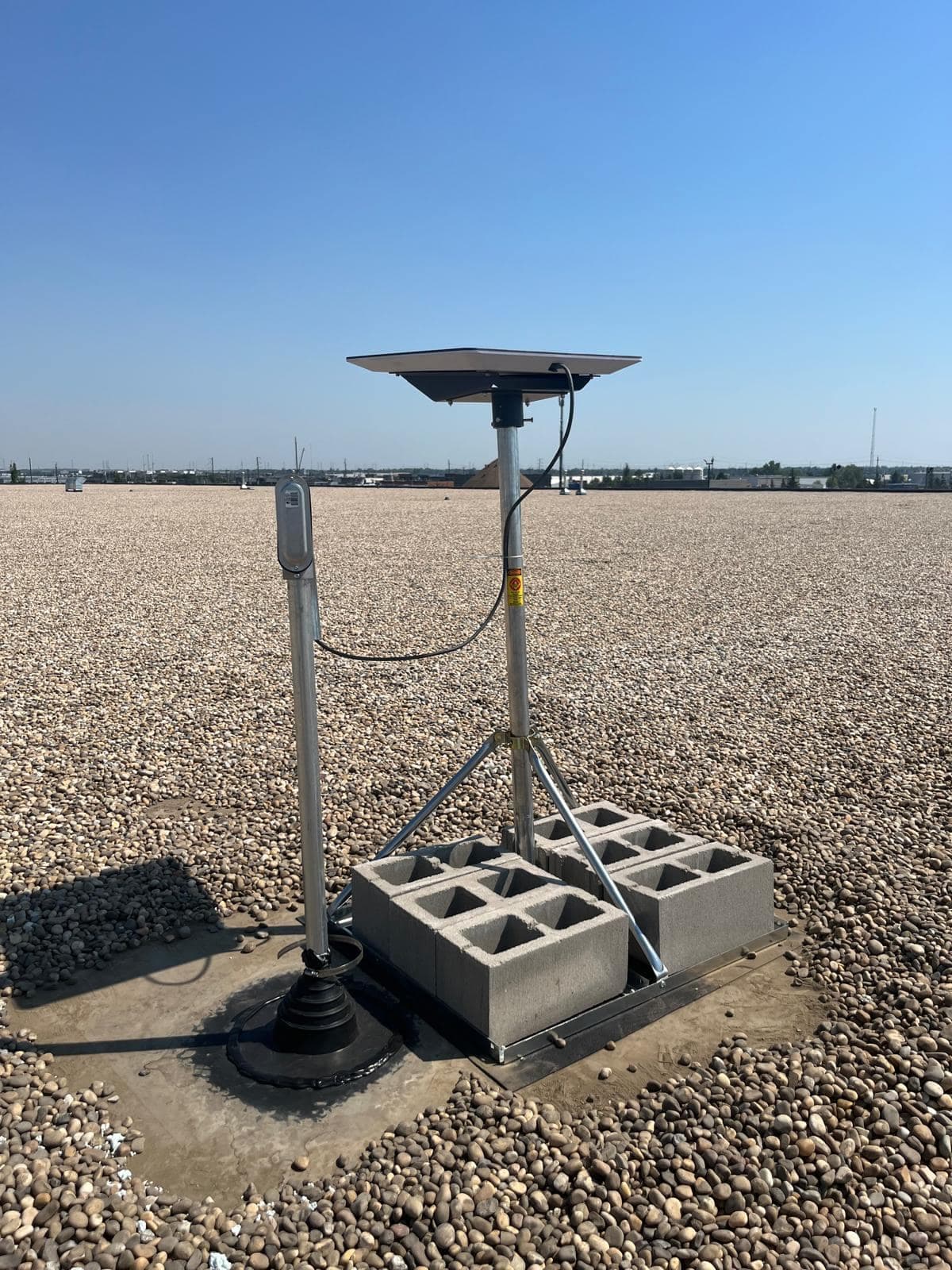
Photographs from our own installations, not stock images.
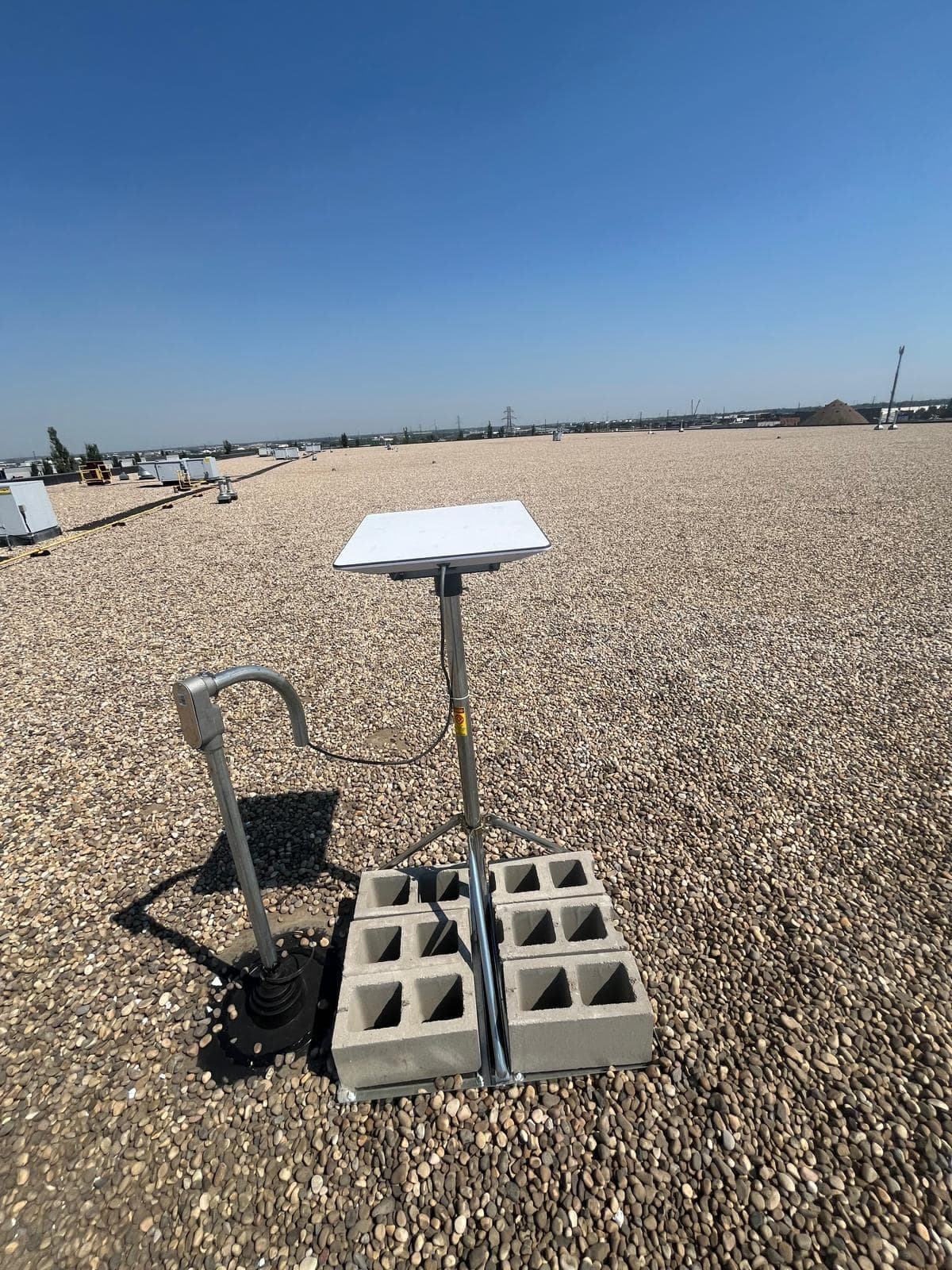
The cable drops into rigid conduit and through a properly flashed pipe boot — the detail that keeps water out of the building. 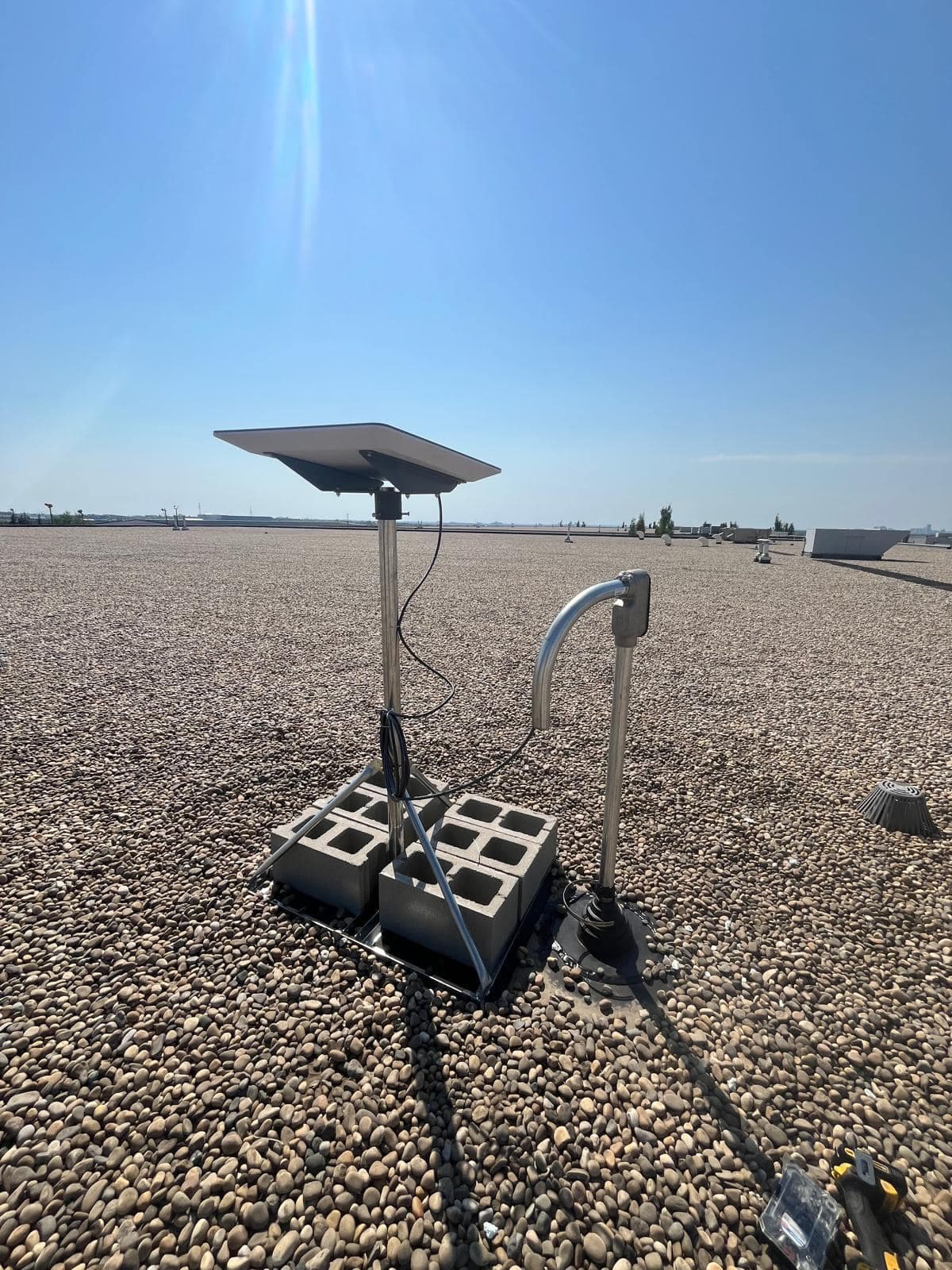
A weatherhead turns the conduit downward so water runs off rather than into the run. Ballast sized for the exposure this roof actually sees. 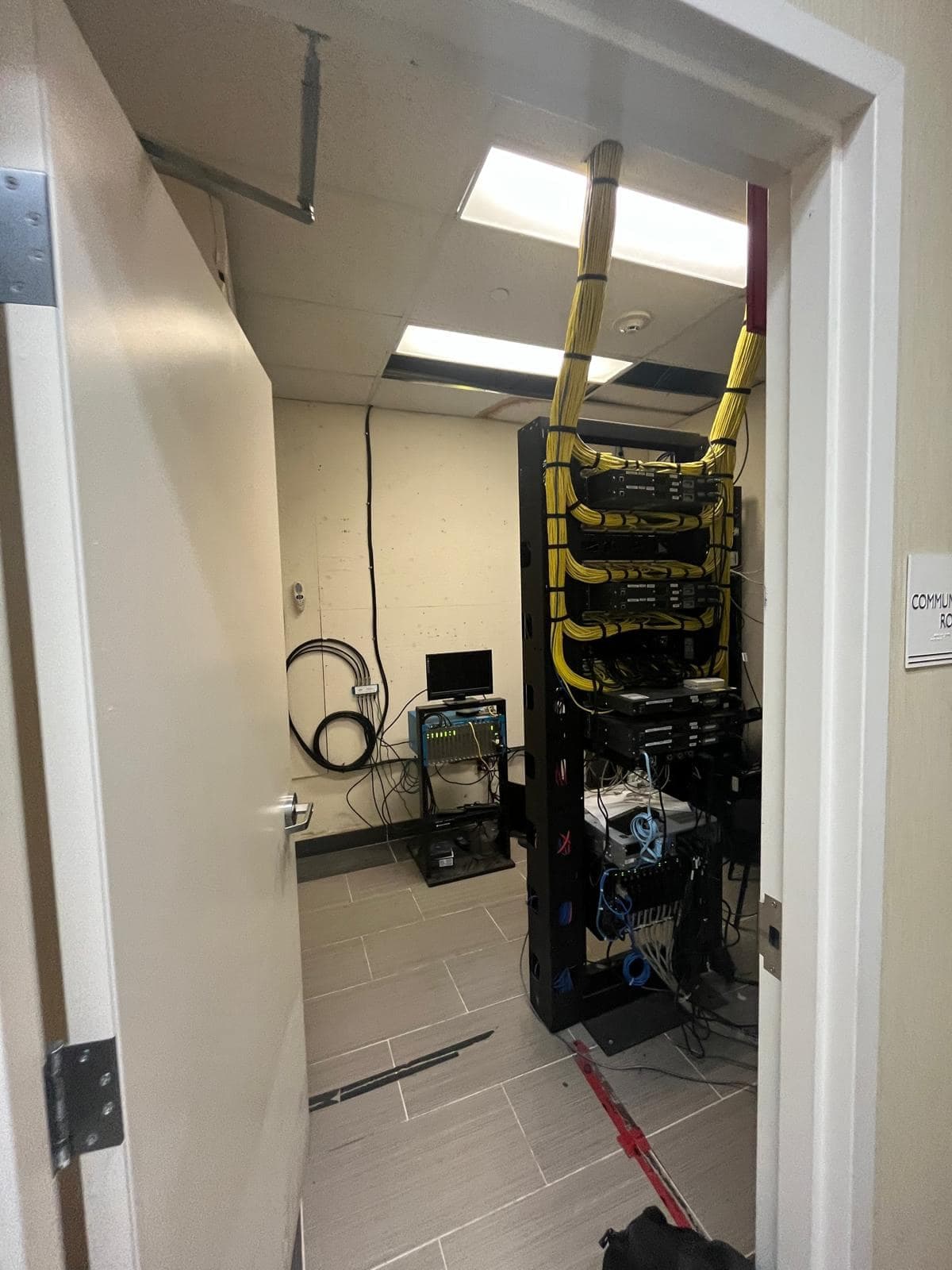
Communications room build. Cable bundled and dressed so airflow is not blocked and any run can be traced later.
Business situations where Starlink is the right answer
Starlink is not automatically the correct commercial choice. Where fibre is available and affordable it is usually better — lower latency, symmetric upload, and a service level agreement. Starlink earns its place in specific cases.
- Sites fibre does not reach
- Industrial yards, shops on the edge of a service area, agricultural operations and anything where the quoted cost of a fibre build runs into five or six figures. This is the clearest case and the most common one we see.
- Redundancy behind an existing circuit
- A second path that fails for completely unrelated reasons to your primary. Starlink alongside fibre or cable is genuinely diverse infrastructure, unlike a second wired provider that may share the same physical route into the building.
- Temporary and project sites
- Construction offices, seasonal operations and short-term facilities where a wired install cannot be justified for the duration and needs to demobilise cleanly.
- Rapid deployment
- New premises that need to trade before a circuit provisioning date that is months out. Starlink can carry the site in the interim and then become the backup once fibre lands.
What a commercial installation includes beyond the dish
This is the substance of the difference. A residential install ends when the router is configured. A commercial install ends when the connection is a properly integrated, documented, supportable part of the business network.
- Site survey covering sightlines, roof access, cable pathways, power and equipment location
- Commercial-grade mounting — non-penetrating ballast on flat roofs, or engineered fixing where the roof membrane warranty is a concern
- Starlink Performance or Enterprise hardware where the wider field of view and throughput justify it
- Bypass mode and integration behind your existing firewall rather than a second isolated network
- VLAN segmentation so staff, guest, point-of-sale, camera and building systems stay separated
- Cellular failover via Cradlepoint or Peplink, with bonding where a dropped session is itself the problem
- Business access point layout so coverage reaches the whole floor, yard or warehouse
- Rack or enclosure mounting, UPS protection and clean cable management
- Static routing and site-to-site connectivity where you have multiple locations
- Labelled cabling, as-built documentation, IP schedule and credential handover
- Remote monitoring and alerting so we see a degraded link before your staff report it
- Completion photographs and a written record of exactly what was installed and where
Honest limitations you should plan around
Any installer who tells you Starlink is a straight replacement for a business fibre circuit is overselling it. The limitations are manageable, but they need designing around rather than discovering.
There is no service level agreement of the kind an enterprise circuit carries, so if you have a contractual uptime obligation, Starlink alone will not satisfy it — pair it with a cellular path. Upload capacity is meaningfully lower than download, which matters if you push large files or run many outbound camera streams. A public static IP is not part of the standard offering, so inbound services and some site-to-site VPN designs need a different approach. And obstruction events cause brief interruptions that are invisible to a speed test but disruptive to a live call.
Every one of those has an engineering answer. Bonding across Starlink and cellular removes the session-drop problem entirely. A cloud-brokered VPN removes the static IP dependency. But they are decisions to make at design time, and we will tell you about them before you buy rather than after.
- No enterprise-grade SLA — pair with cellular if you have an uptime obligation
- Upload capacity well below download; plan around large outbound transfers
- No standard public static IP; inbound services need a different design
- Brief obstruction interruptions — bonding is the fix if sessions must survive
- Data-prioritisation tiers on business plans change cost as usage grows
Industries we deploy for
The common thread is that the connection carries something the business cannot operate without.
- Construction site offices and project trailers
- Agricultural operations, grain facilities and feedlots
- Warehouses, equipment yards and logistics facilities
- Retail and hospitality outside serviced areas
- Energy sector and remote industrial installations
- Camps, lodges and seasonal accommodation
- Municipal and utility monitoring sites
- Professional offices needing a diverse redundant path
How the work runs
Requirements and site survey
What the connection has to carry, what an outage costs, and what the building allows — sightlines, roof construction, pathways, power and equipment location.
Network design and written quote
Topology, hardware, VLAN and addressing plan, failover strategy and a fixed quote. You see the design before you commit to it.
Installation and integration
Mount installed, cable run and sealed, hardware racked, and the connection integrated behind your firewall with segmentation applied.
Failover testing
We disconnect the primary path while a live session runs and observe what actually happens, rather than assuming the configuration works.
Documentation and handover
As-built, IP schedule, credentials, completion photographs and a walkthrough — to you or directly to your IT provider.
Frequently Asked Questions
More on Starlink
The rest of the guide. Each page answers a different question.
Starlink Installation
The main guide — obstruction surveys, mounting, cable routing and network setup across Alberta.
Starlink installationEdmonton
Edmonton-specific Starlink installation: mature canopy obstruction surveys, snow-shed-aware mounting and sealed cable entry for our climate.
EdmontonRural & Acreage
For acreages, farms and rural properties: wind-rated mounting, long cable runs, and coverage that reaches the shop and barn rather than stopping at the house.
Rural & AcreageMounting Options
Roof, pole, wall, ground and non-penetrating mounts compared honestly — including which ones we would not recommend and why.
Mounting OptionsCable Routing
Routing the cable properly: attic, basement and conduit routes, sealed entry points and drip loops that keep water out of your wall.
Cable RoutingStarlink Wi-Fi Setup
The dish gets you the connection; it does not get you coverage. Bypass mode, access point layouts and mesh done properly.
Starlink Wi-Fi SetupTroubleshooting & Repair
Diagnosing why a working Starlink stopped working — obstruction, cable, power or Wi-Fi. The three have completely different fixes.
Troubleshooting & RepairInstallation Cost
An honest breakdown of what drives installation price, what the Alberta market looks like, and where cheap quotes get expensive.
Installation Cost
Services That Go With This
The work customers most often need alongside a Starlink installation.
Commercial Network Installation
Designed and installed business networks: switching, routing, VLAN segmentation, firewalls, PoE and internet failover built to survive a working day.
Commercial Network InstallationCradlepoint Installation
Cradlepoint LTE and 5G routers installed and configured for automatic internet failover, remote sites and in-vehicle networks.
Cradlepoint InstallationPeplink Installation
Peplink multi-WAN routers installed to combine cellular, Starlink and wired circuits into one connection that survives any single link failing.
Peplink Installation
Request a Quote
Tell us about the site and what you need. We will come back to you with a straight answer about what the work involves and what it costs.