Starlink Troubleshooting and Repair
Almost every Starlink fault we are called to falls into one of four categories, and they have completely different fixes. Getting the diagnosis right first matters, because the most expensive mistake is relocating a dish to solve a problem that was never about the dish.
The four are: an obstruction problem, where the position never cleared the full satellite arc; a physical fault, usually a cable or connector damaged at the entry point; a power or equipment problem; and a Wi-Fi problem being mistaken for an internet problem. That last one is the most common of all, and it is also the one people are least likely to suspect, because the symptom — slow or absent connection on a device — looks identical.
This page is written so you can narrow it down yourself before calling anyone. Several of these you can resolve without paying us, and we would rather you did.
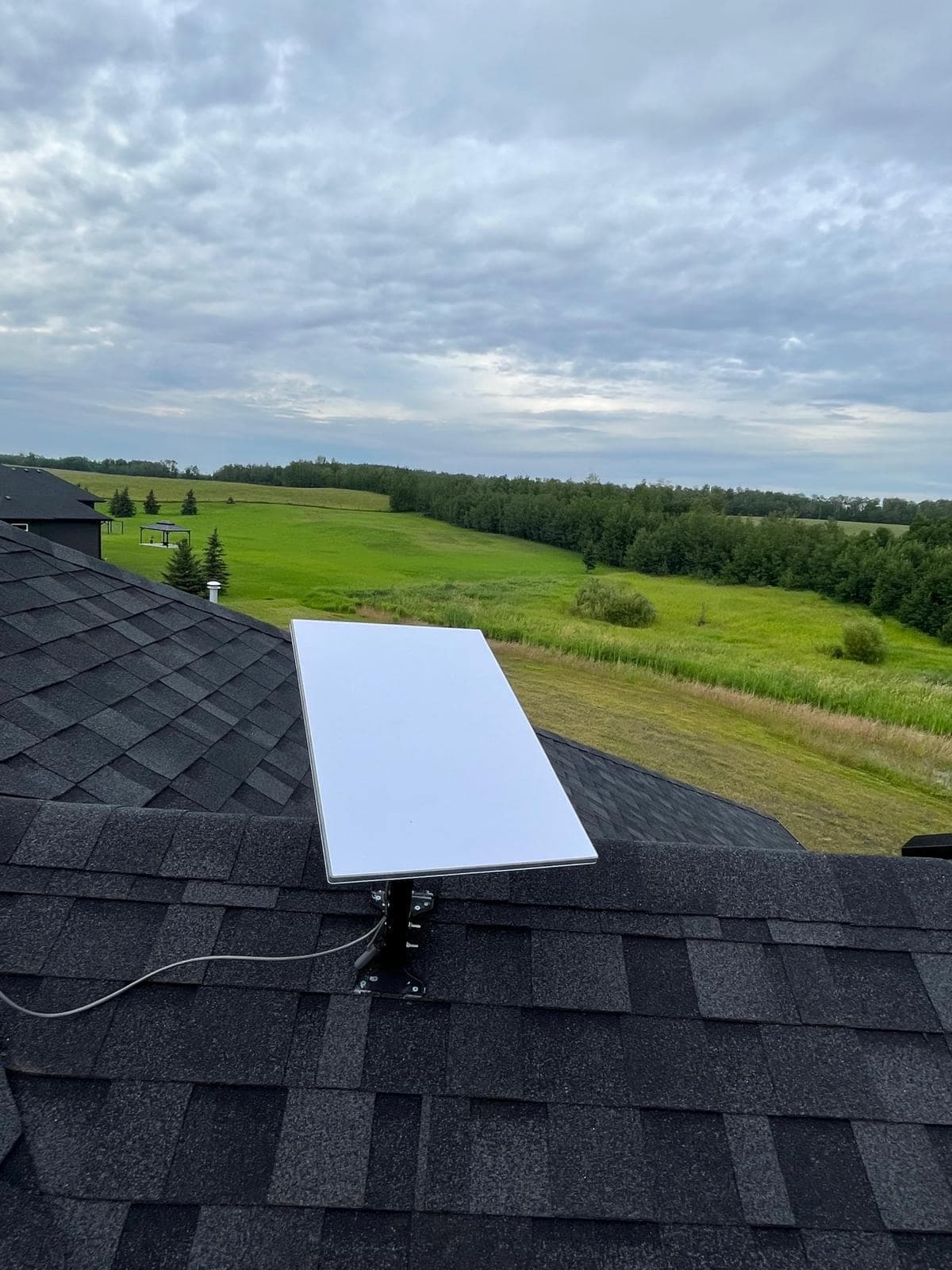
Work out which problem you have
Start here. Five minutes of checking will usually tell you which of the four categories you are in.
- Run a speed test at the router, not on your phone across the house
- Connect by Ethernet if you can, or stand next to the router. If the speed is good there and poor elsewhere, you have a Wi-Fi coverage problem, not a Starlink problem. This single test resolves a large share of calls.
- Check the obstruction map in the Starlink app
- The app records obstruction events over time. Repeated brief interruptions logged there mean the dish position does not clear the full arc — which is a mounting problem, not a hardware fault, and no amount of rebooting will change it.
- Note whether the fault is temperature-dependent
- A connection that degrades on cold days and recovers on mild ones strongly suggests a cable fault. Cable stiffens in deep cold, and a bend that was too tight at installation fractures the conductor or shielding over enough freeze-thaw cycles.
- Check for a pattern in the timing
- Problems at the same time each day usually indicate congestion or a scheduled device doing something heavy. Problems after wind or heavy snow suggest the dish has moved or is loaded. Problems since a specific date suggest something changed — a new building, a device, or a firmware update.
- Look at the dish itself
- From the ground, safely. Has it shifted from its original angle? Is the mount loose? Is there visible damage to the cable where it leaves the dish or enters the building? Snow shedding off a roof onto a dish is a common cause of sudden failure after a thaw.
Things worth trying yourself first
In roughly this order. None of these require a technician, and if one of them fixes it you have saved yourself a call-out.
- Power cycle the Starlink router — unplug for thirty seconds, then wait several minutes for it to reconnect
- Check the Starlink app for a reported outage in your area before assuming it is your installation
- Confirm the account is in good standing — a lapsed payment produces a very convincing 'broken' connection
- Check whether the cable is fully seated at both the dish and the router
- Test with a device connected by Ethernet to separate the connection from Wi-Fi
- If snow is on the panel during heavy wet snowfall, wait — the heater will clear it. Never use hot water or anything abrasive
- Move the router away from metal, mirrors, aquariums and other electronics if Wi-Fi is the issue
Faults that need someone on site
Where the checks above point to a physical problem, or the fault is intermittent in a way that resists diagnosis, it needs hands on the installation.
- Obstruction problems
- The dish needs relocating to a position that clears the arc. This is a fresh installation rather than an adjustment — new survey, new mount, new cable route, and the original penetration sealed properly. Trees grow, so a position that worked three years ago may not now.
- Cable and connector damage
- Usually at the entry point, where the cable was bent too tightly or abraded on the hole edge. Frequently temperature-dependent and intermittent. Repair means replacing the run and correcting whatever caused it, not just re-terminating the end.
- Failed entry seal
- The most urgent one, because the damage is to your building rather than your internet. If you see staining, damp or a smell near the cable entry, treat it as a priority — meltwater tracking into a wall cavity gets expensive quickly.
- Mount movement or failure
- Fixings working loose under ice loading and freeze-thaw, or a mount that was undersized for the exposure. The dish will have shifted angle. Re-tightening is a temporary fix if the underlying specification was wrong.
- Wi-Fi coverage problems
- The most common of all, and the one that is not a Starlink fault at all. The fix is bypass mode plus properly placed access points — covered on our Starlink Wi-Fi page.
- Power and grounding issues
- Particularly on rural sites with generator or unstable supply. Repeated unexplained reboots often trace to power quality rather than to the equipment. Conditioning and a correctly sized UPS resolve it.
How the work runs
Remote triage
We ask about symptoms, timing, weather correlation and what the obstruction map shows. Some faults are identified and resolved without a visit at all.
On-site diagnosis
We test the link at the router, inspect the mount, cable and entry point, and re-run the obstruction survey from the current position before recommending anything.
Findings and options
You get told which of the four problems you actually have, and what each option costs — including when the honest answer is that no work is needed.
Repair and verification
The fault is corrected, and we verify with speed, latency, packet loss and obstruction readings rather than declaring it fixed because it looks better.
Frequently Asked Questions
More on Starlink
The rest of the guide. Each page answers a different question.
Starlink Installation
The main guide — obstruction surveys, mounting, cable routing and network setup across Alberta.
Starlink installationEdmonton
Edmonton-specific Starlink installation: mature canopy obstruction surveys, snow-shed-aware mounting and sealed cable entry for our climate.
EdmontonCommercial & Business
Business-grade Starlink deployments integrated into a real network, with failover, documentation and support — not a residential dish on a commercial building.
Commercial & BusinessRural & Acreage
For acreages, farms and rural properties: wind-rated mounting, long cable runs, and coverage that reaches the shop and barn rather than stopping at the house.
Rural & AcreageMounting Options
Roof, pole, wall, ground and non-penetrating mounts compared honestly — including which ones we would not recommend and why.
Mounting OptionsCable Routing
Routing the cable properly: attic, basement and conduit routes, sealed entry points and drip loops that keep water out of your wall.
Cable RoutingStarlink Wi-Fi Setup
The dish gets you the connection; it does not get you coverage. Bypass mode, access point layouts and mesh done properly.
Starlink Wi-Fi SetupInstallation Cost
An honest breakdown of what drives installation price, what the Alberta market looks like, and where cheap quotes get expensive.
Installation Cost
Services That Go With This
The work customers most often need alongside a Starlink installation.
Starlink Installation
Obstruction surveys, secure mounting, weather-sealed cable entry and full network setup for Starlink dishes on homes, businesses and remote sites.
Starlink InstallationWi-Fi Installation
Surveyed access point layouts that fix dead zones properly — for houses, offices, warehouses, metal shops and outdoor yards.
Wi-Fi Installation
Request a Quote
Tell us about the site and what you need. We will come back to you with a straight answer about what the work involves and what it costs.